Eco
Introduction
In this guide, we will show you where and how to set up your Eco Gameserver.
Settings
The Eco Gameserver is configured through the .eco files listed below.
All necessary settings are found in the orange highlighted eco files.
All eco files with a "template" are not used by the server. To use one of these eco files you have to remove the "template" in the file name.
Backup.eco.template
Balance.eco.template
Civics.eco.template
Difficulty.eco.template
Disasters.eco.template
EcoSim.eco.template
Features.eco.template
Localization.eco.template
Maintenance.eco.template
ModKit.eco.template
Network.eco
Network.eco.template
Pause.eco.template
Profanity.eco.template
Rooms.eco.template
Sleep.eco.template
Stats.eco.template
Storage.eco.template
Users.eco
Users.eco.template
Voice.eco
World.eco.template
WorldGenerator.eco
WorldGenerator.eco.template
WorldObjects.eco.template
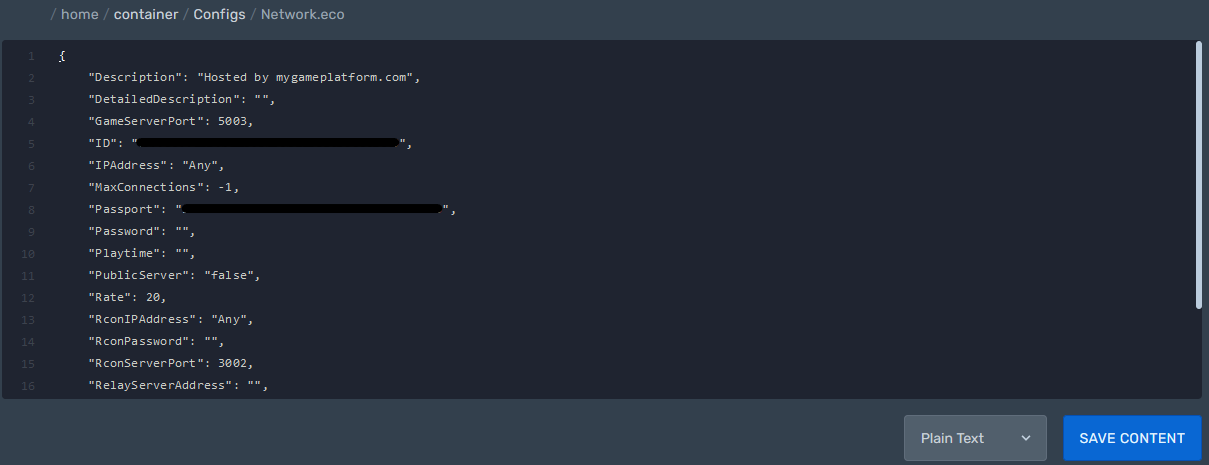
Network.eco
Path: /home/container/Configs/Network.eco
Here you can find server settings like: server description, server password, maxconnections and more...
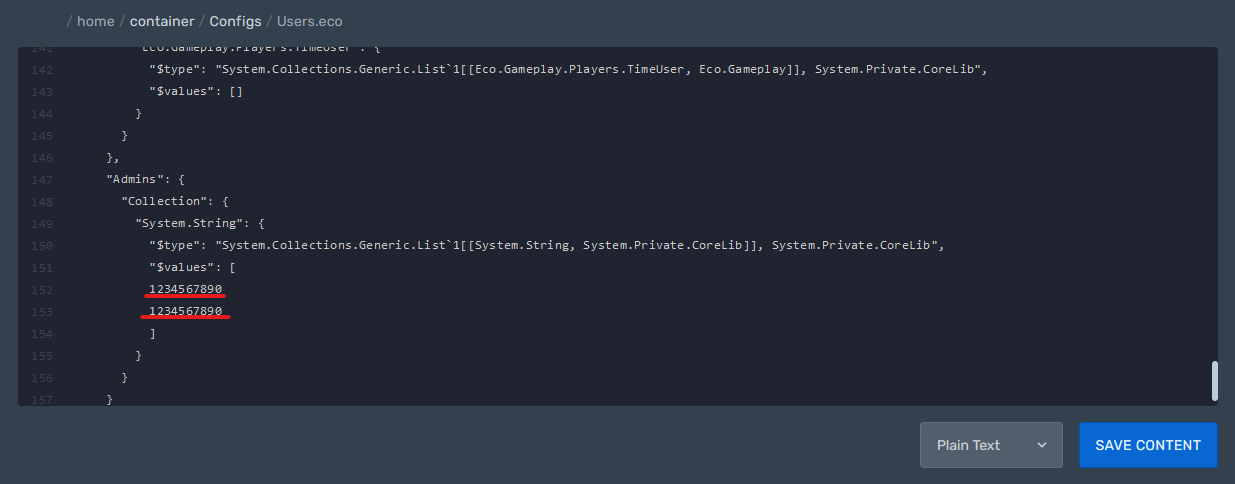
Users.eco
Path: /home/container/Configs/Users.eco
Here you can create a whitelist, blacklist, mutelist and a list of administrators.
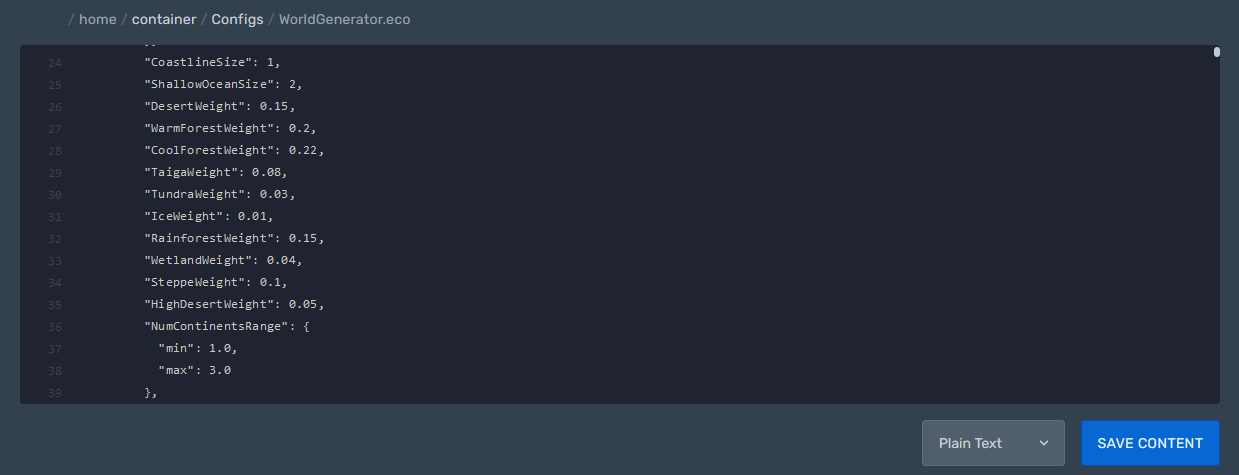
WorldGenerator.eco
Path: /home/container/Configs/WorldGenerator.eco
Here advanced administrators can change values for generating a world.