Login-Help
Reset password on mygameplatform.com
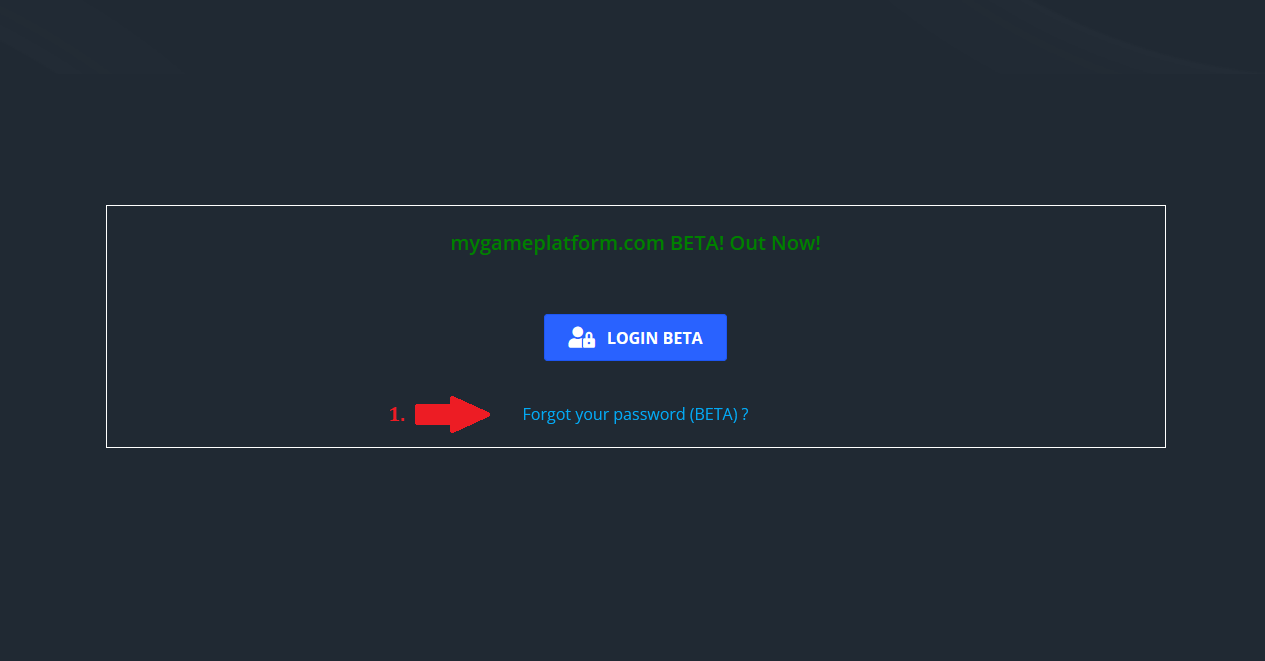
Go to "Login" and click on "Forgot your password (BETA)".
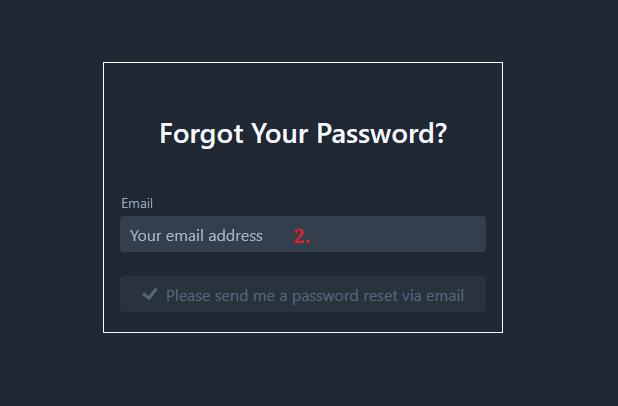
Enter your account email
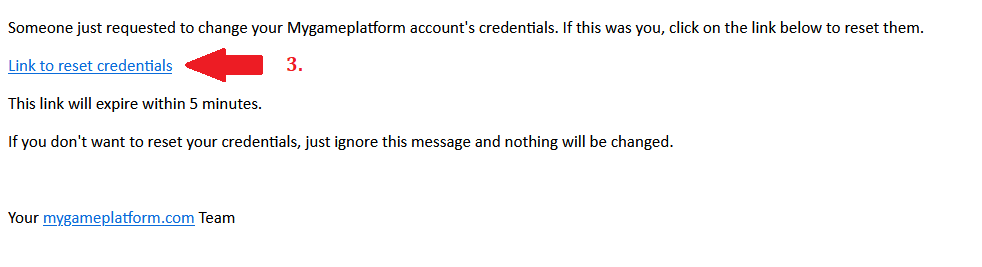
Open the link in the "Reset Password" email
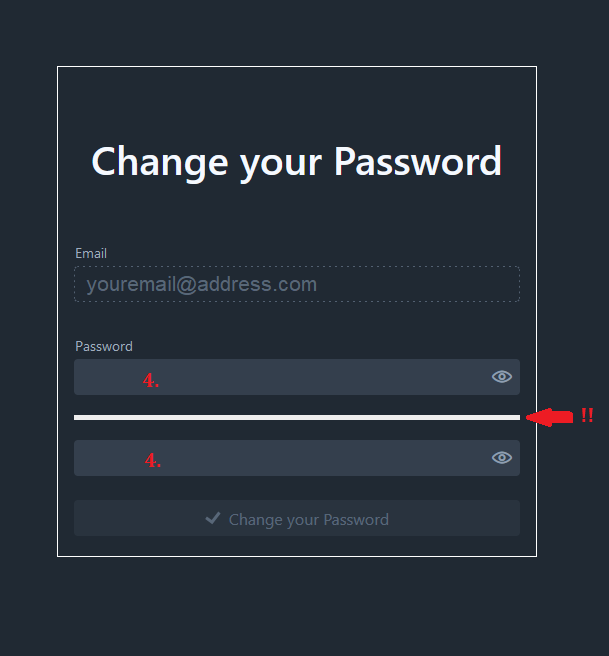
Enter a new password. The bar must be green!
I reset my password but did not receive the email
If you didn't receive an email for resetting your password, check your spam folder. It may happen that the email ends up there.
I cannot find the Login page
If you can't find the "Login" page, click on the link and go to our website again. ⇒ Login

Still having trouble?
If you have already tried everything, but still nothing works, simply create a ticket on our Discord in the 📋help-Channel. We will help you further.
27 September 2026