Terraria
Introduction
In this guide we will show you a few things that you may need for your Terraria Gameserver.
Set a Password
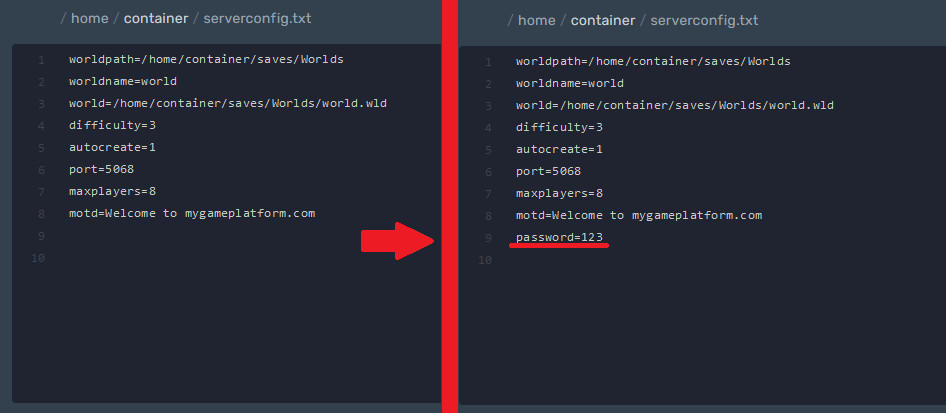
Path: /home/container/serverconfig.txt
You can set the password for the server in the file: serverconfig.txt.
Add password=yourpasswordhere on the next free line.
Change Players and the Difficulty
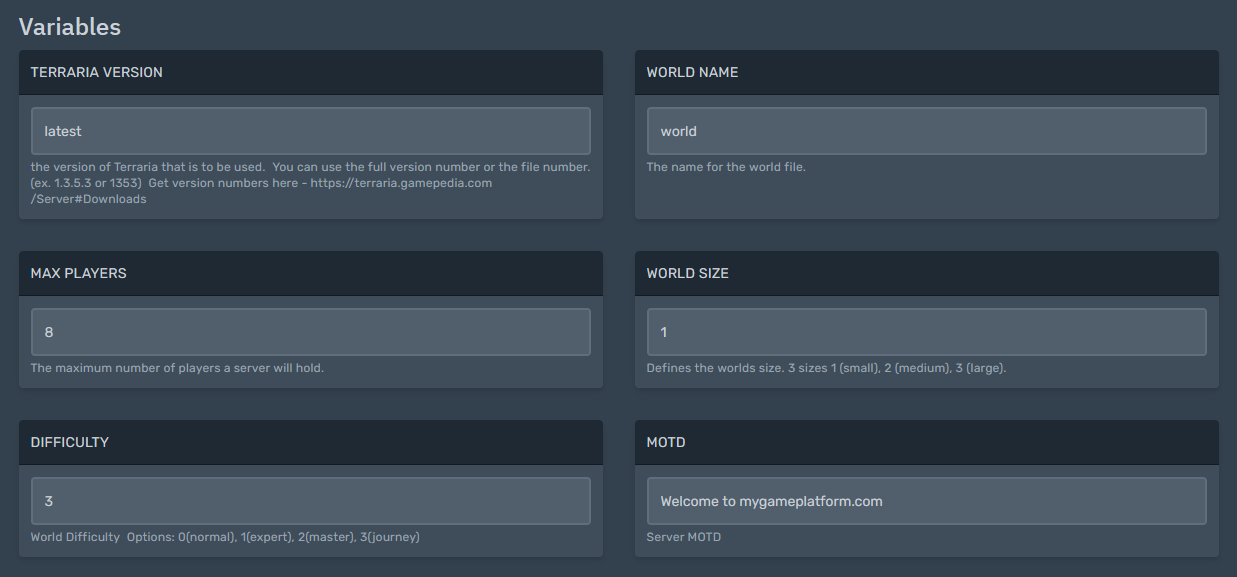
The difficulty, maximum number of players, etc. can be set in the startup.
Add a Map
If you want to migrate a world, you just have to put the world file (“.wld”) that you find locally under Documents/My Games/Terraria/Worlds into the folder /home/container/saves/Worlds and adjust the world name in the config (or adjust the file name. It just has to be the same)
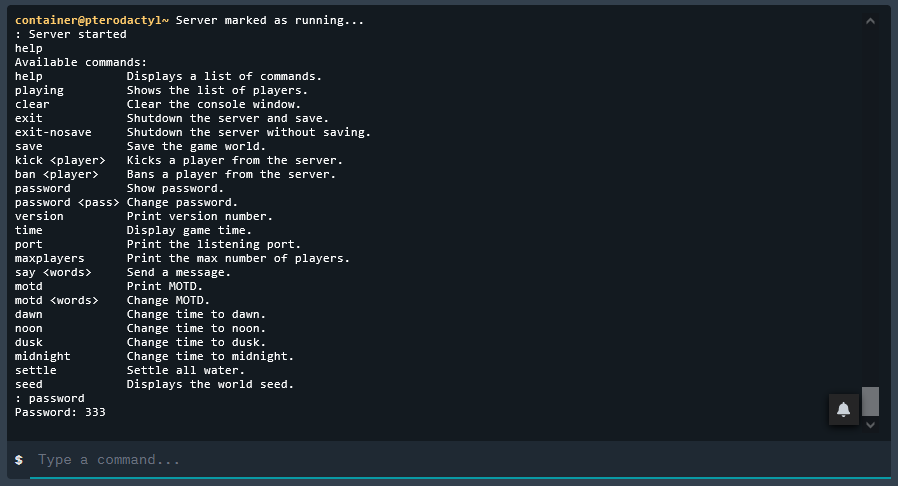
Server Moderation via the Console
Write help in the console to get a list of all commands.
Important Info!
You cannot assign admin rights in-game and have no access to admin actions. For this you need the "TShock" plugin, which can be found on GitHub.
Link: TShock plugins on GitHub