7 Days to Die
Introduction
This guide will assist you in setting up your 7 Days to Die Gameserver.
Start & Stop
To set up the server, you need some files. Start the server once, then turn it off. The server has now downloaded everything and is ready for setup.
Settings
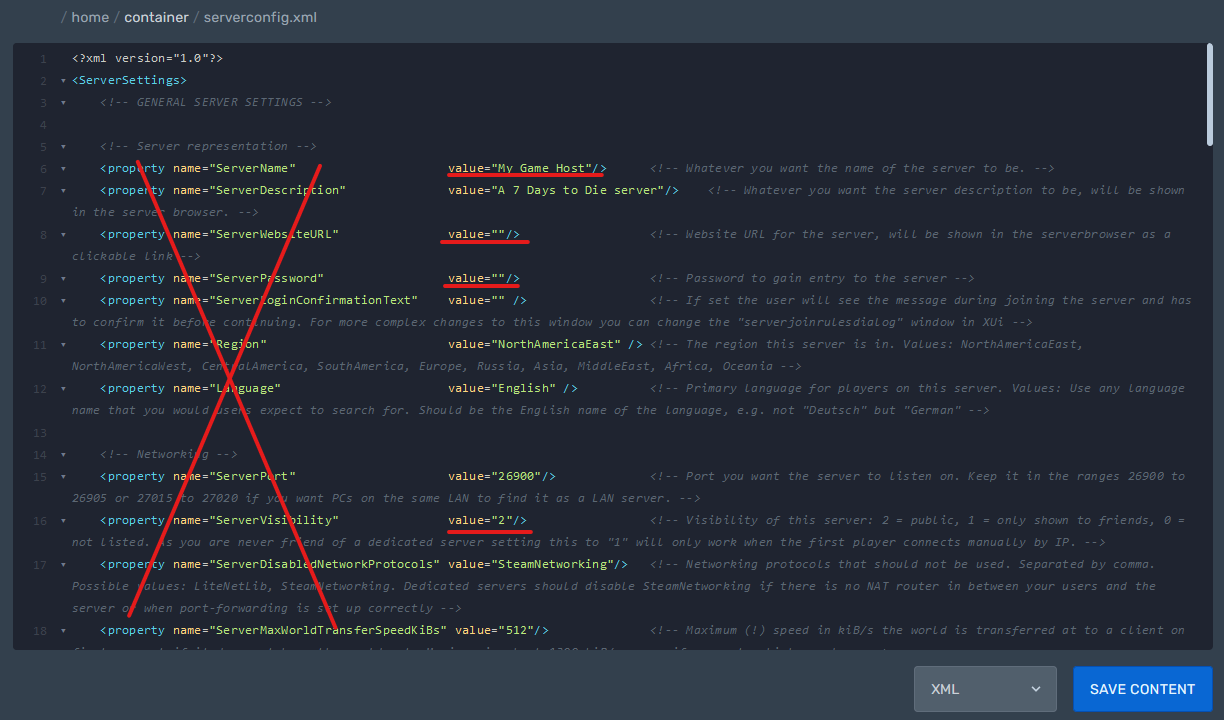
serverconfig.xml
Path: /home/container/serverconfig.xml
This file allows you to set the server name, password, visibility, and other server settings.
serveradmin.xml
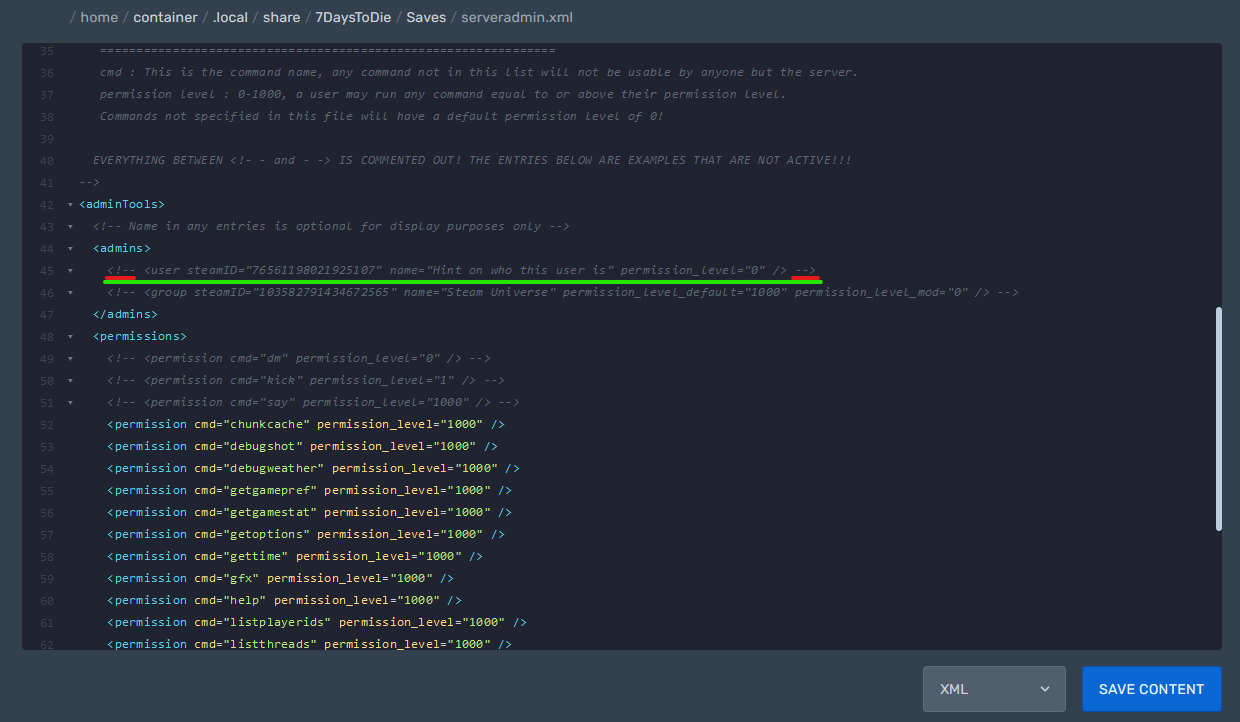
Path: /home/container/.local/share/7DaysToDie/Saves/serveradmin.xml
In this file, you can assign administrator roles, distribute permissions, and create a blacklist or whitelist.
To become an administrator, find the commented-out admin entry and remove the comment markers (<!-- and -->) at both ends. Add your SteamID, your in-game name, and your permission level. You are now an administrator.
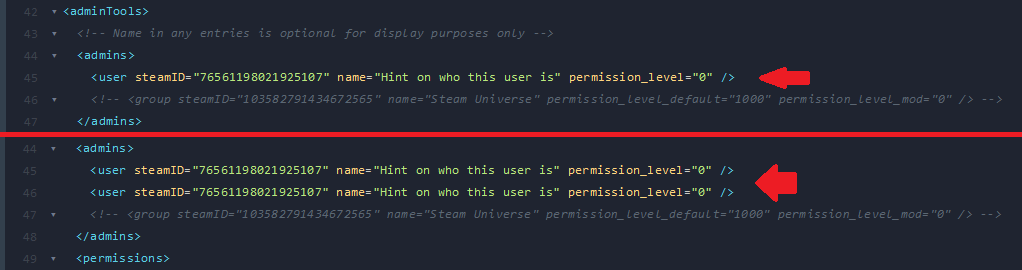
If you want to have more than one administrator, you can repeat this line multiple times.