Avorion
Introduction
The Avorion Gameserver can be configured in the Startup menu and in the server.ini file.
Settings
All "basic" settings can be found in the Startup
The fine tuning can be done in server.ini
server.ini
Path: /home/container/galaxy/Avorion/server.ini
[Game]
Seed=9gfddTsaAN
Difficulty=0
HardcoreEnabled=false
InfiniteResources=false
CollisionDamage=1
SafePlayerInput=false
PlayerToPlayerDamage=true
LogoutInvincibility=true
LogoutInvincibilityDelay=30
DevMode=false
ExplicitCallables=true
BigWreckageDespawnTime=1800
SmallWreckageDespawnTime=900
MaximumFightersPerSectorAndPlayer=-1
MaximumBlocksPerCraft=-1
MaximumVolumePerShip=-1
MaximumVolumePerStation=-1
MaximumPlayerShips=-1
MaximumPlayerStations=-1
MaximumBlocksPerTurret=250
PlayerInventorySlots=1000
AllianceInventorySlots=1000
Version=1.0
sameStartSector=true
startUpScript=data/scripts/server/server.lua
startSectorScript=startsector
motd=
[System]
saveInterval=600
sectorUpdateTimeLimit=300
emptySectorUpdateInterval=0.5
workerThreads=1
generatorThreads=2
scriptBackgroundThreads=2
aliveSectorsPerPlayer=5
weakUpdate=true
profiling=false
sendCrashReports=true
hangDetection=true
backups=true
backupsPath=/home/container/backups
simulateHighLoadServer=false
sendSectorDelay=2
placeInShipOnDeathDelay=7
[Networking]
port=27000
broadcastInterval=5
isPublic=true
isListed=false
isAuthenticated=true
sendStatsToAdmins=true
useSteam=true
rconIp=
rconPassword=
rconPort=27015
[Administration]
maxPlayers=10
name=Avorion Server
description=An Avorion Server
password=
pausable=false
accessListMode=Blacklist
steamIdOverride=0
admin.xml
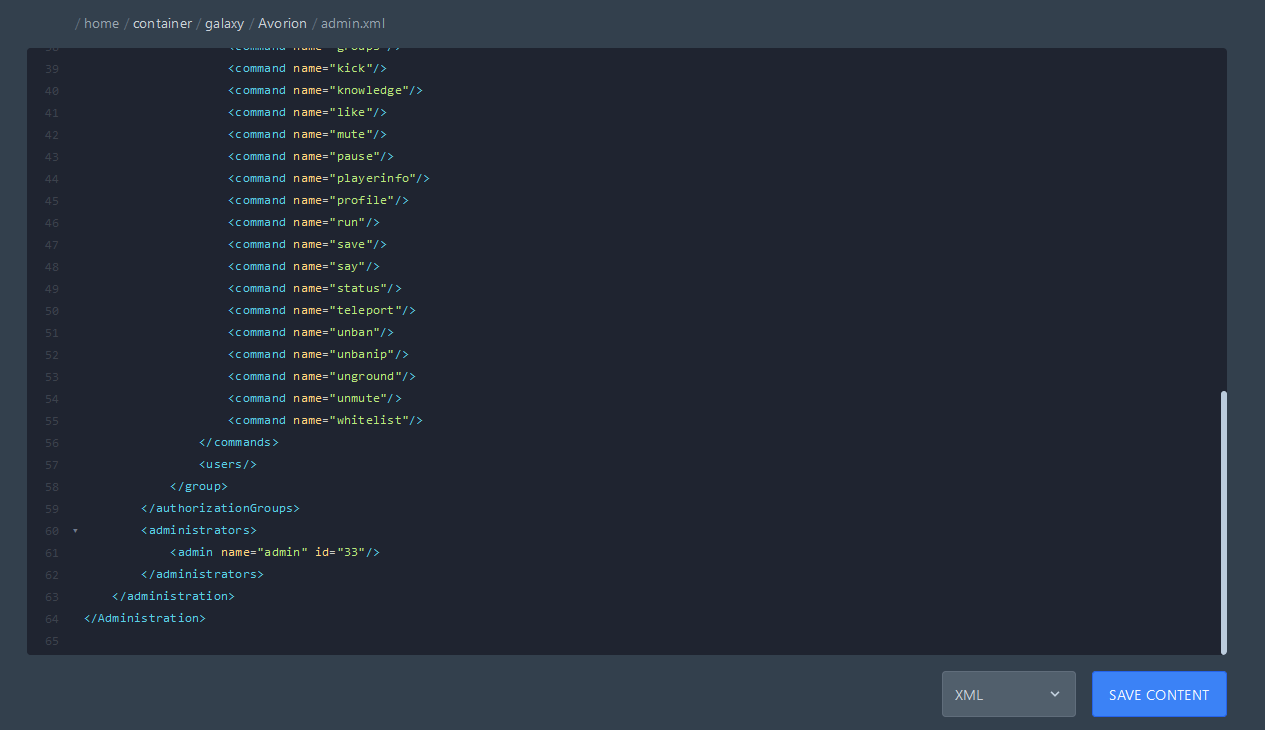
Path: /home/container/galaxy/Avorion/admin.xml
To become an admin on your server, you will need to enter your player name and Steam-ID here.
You can add the following code snippet several times if you want to add more administrators:
<admin name="Player-Name" id="Steam-ID"/>
Install mods for Avorion Server
Mods are added to Avorion via the modconfig.lua file. To enable mods on dedicated servers, create a modconfig.lua file in your server's galaxy folder.
MyAwesomeGalaxy/
├── alliances/
├── factions/
├── mods/ <-- Optional location for your mods
├── players/
├── sectors/
├── workshop/ <-- Server downloads workshop mods here by default
├── server.ini
└── modconfig.lua <-- Configure mods in this file
modconfig.lua example:
modLocation = "" -- Only needed if your mod location is something besides the default of .../galaxies/avorion/galaxy/mods/
forceEnabling = false
mods = -- Mods installed server-side
{
, -- Workshop Mods
,
{path = prefix .. "mymod"}, -- Non-workshop mods. prefix should be replaced with the directory containing the mods
{path = prefix .. "AnotherMod"}
-- Note there is no comma on the last set of {}
}
allowed = -- List of allowed client-side mods
{
, -- Workshop Mods
,
{path = prefix .. "mymod"}, -- Non-workshop mods. prefix should be replaced with the directory containing the mods
{path = prefix .. "AnotherMod"}
-- Note there is no comma on the last set of {}
}
27 September 2026