Barotrauma
Introduction
In this guide, we will show you where to set up your Barotrauma Gameserver and how to make yourself and others an administrator or moderator.
Settings
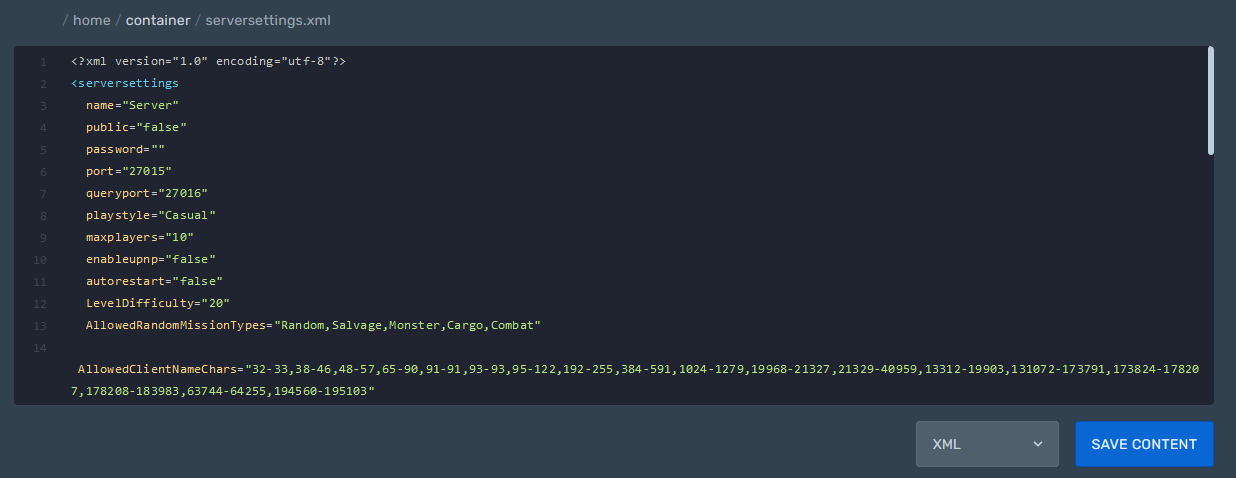
servername, password, maxplayers and much more can be set in the serversettings.xml.
administrator, moderator or other "roles" you can assign in the clientpermissions.xml
and the permissions, descriptions, names and commands of the different "roles" you can set in the permissionpresets.xml.
serversettings.xml
Path: /home/container/serversettings.xml
Here you can configure the server itself.
For example:
Server name
Server password
and more ...
clientpermissions.xml
Path: /home/container/Data/clientpermissions.xml
Here you can give yourself and others roles like administrator, moderator or custom ...
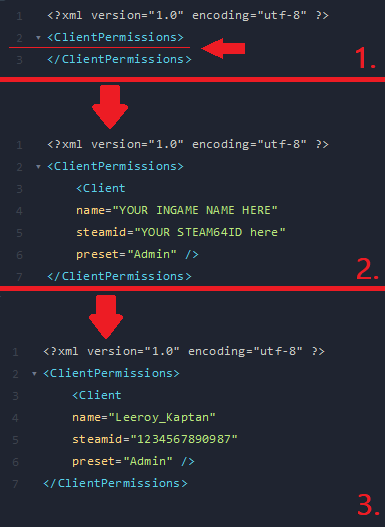
To assign a role to a player, you need their Steam-ID and their in-game name
& 2. enter the code between the "client permissions"
enter the SteamID and the InGame Name of the player
permissionpresets.xml
Path: /home/container/Data/permissionpresets.xml
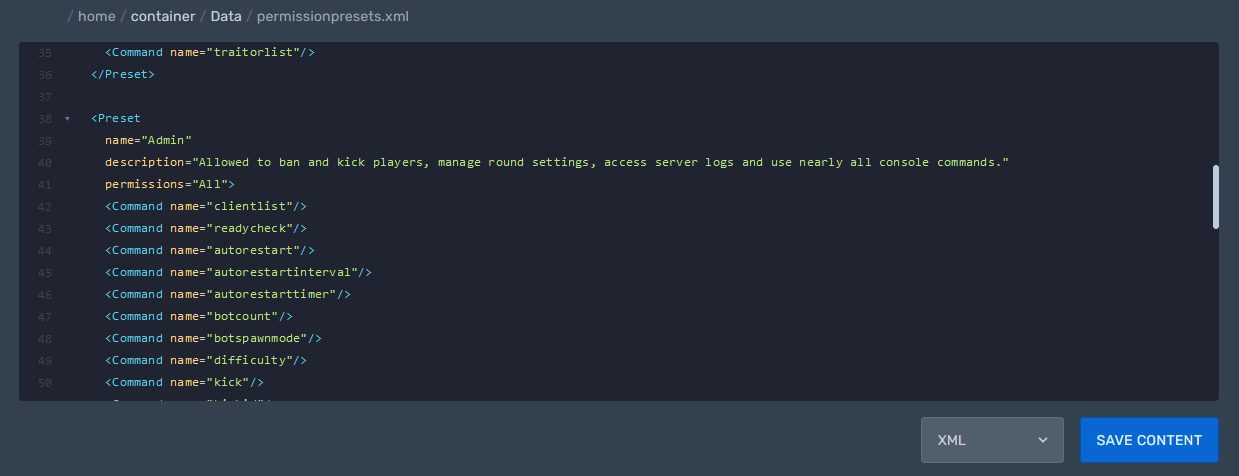
Here you can set the Name, the Description, the Permissions and the executable Commands of the individual "Roles".
You can also create new Roles here.