Developer Console 📟
Introduction
As some of you may already know, we use the open-source Gameserver management panel "Pterodactyl" as the system behind our Gameservers. Since we are constantly working to improve our Gameservers and to involve you in what we do and create, we came up with the idea that those of you who know something about server eggs can help us update and maintain our server eggs.
And so the Developer-Console was born.
We decided to create a "Developer Console" for you and everyone who is interested in helping us and the community to improve our platform. If you are interested, please create a support ticket on Discord to get in contact with us.
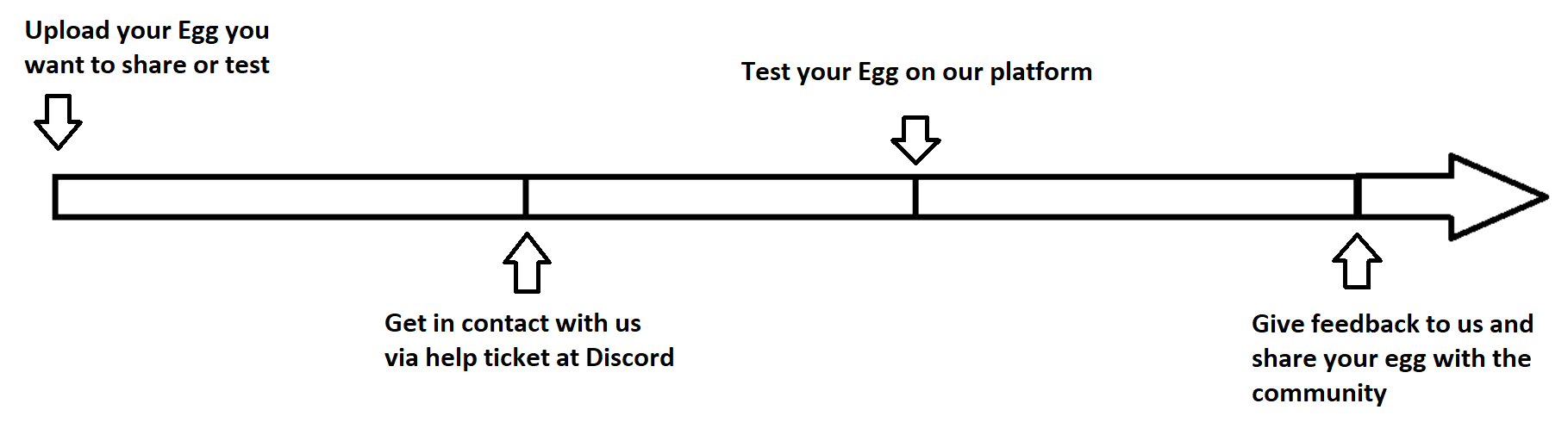
Common workflow for developing
The common workflow for developing an egg or sharing something with the platform
License
Please note our rules and permissions regarding your uploaded Server Eggs:
Developer-Console
Here registered users can upload server-eggs and keep our Gameservers up to date.

Upload
Click on "My Egg"

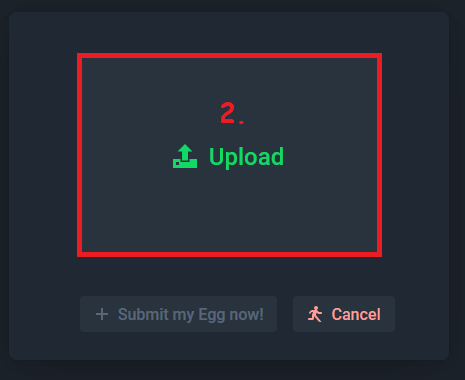
Click on "Upload" to select an Egg
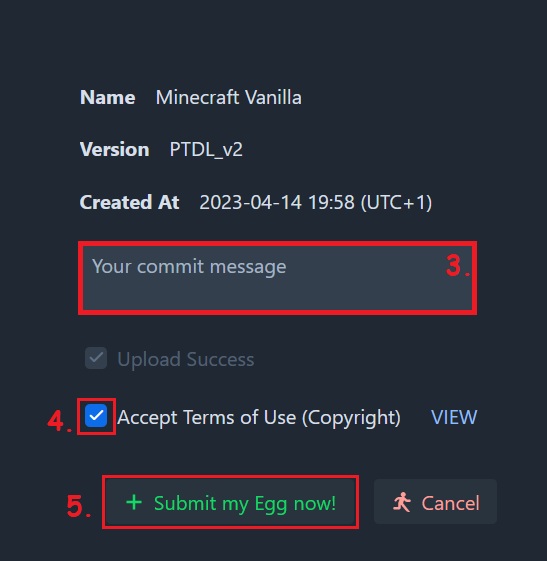
Create a commit message
You have to check this box so that we can use the Egg
Now you can submit the Egg
A popup appears with your commit message
Publish your Egg to the Developer Catalog
Here you can download the Egg

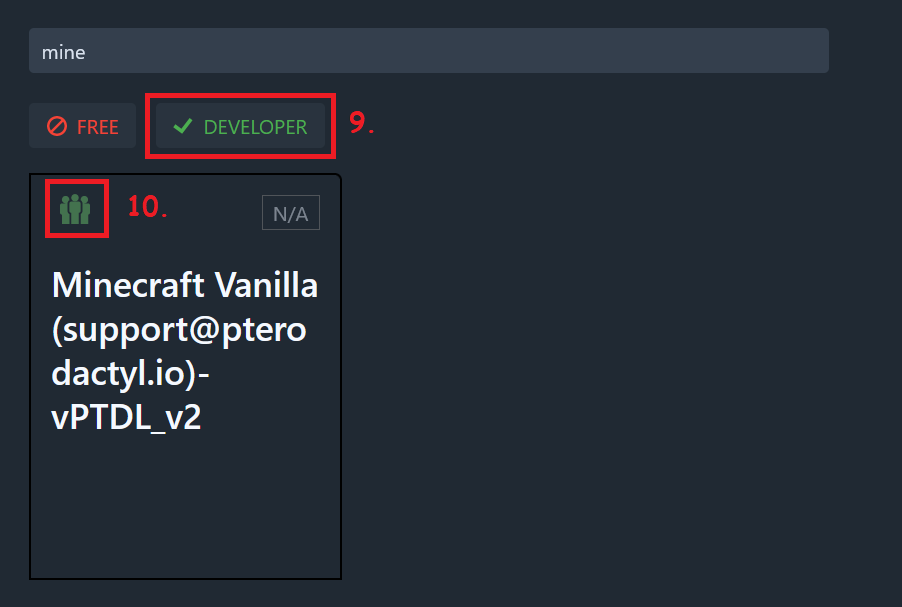
As a developer you can activate the Developer view in the catalog
Your Egg will be marked green here