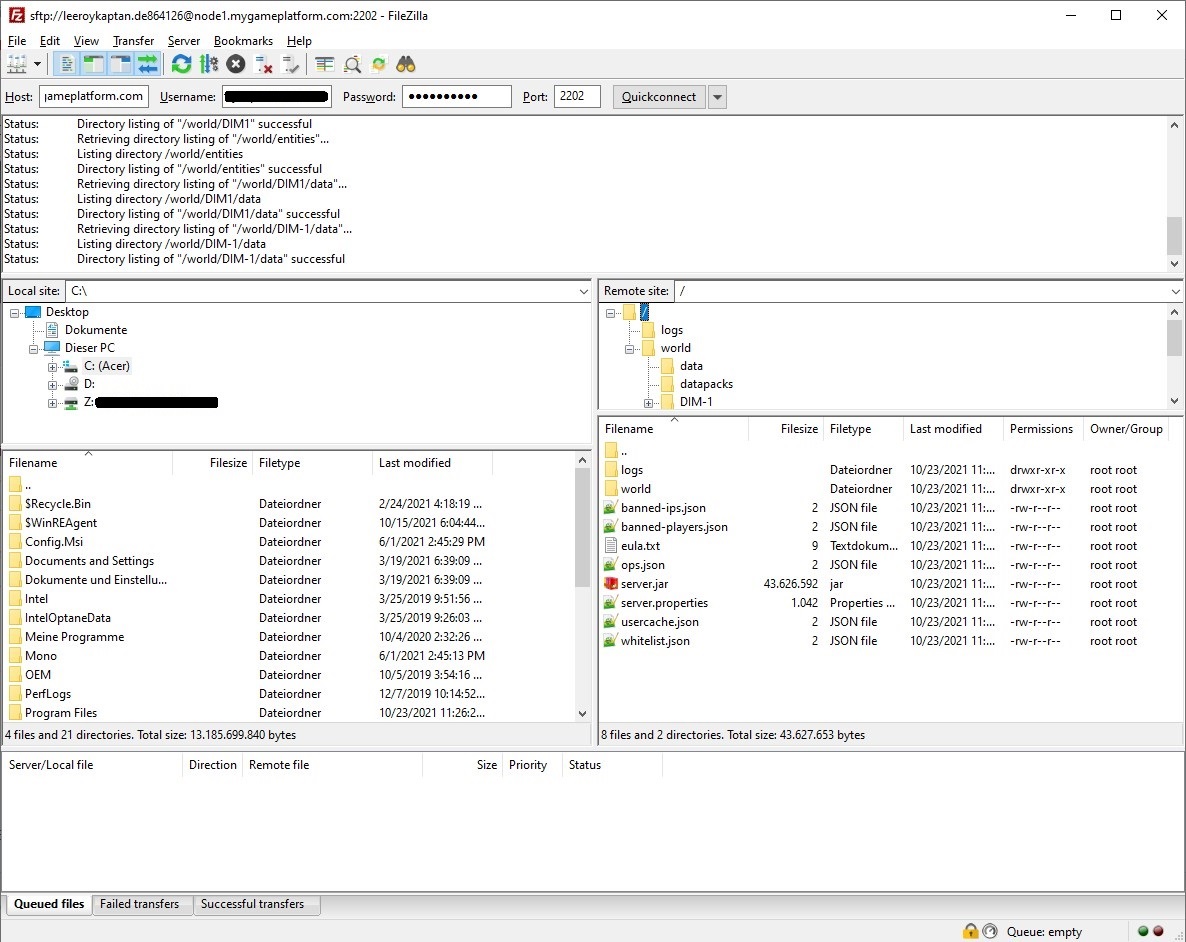
FTP-Client 📤📥
You can manage the files on your server with My-Panel, but also with an FTP-Client.
And with an FTP client you can upload files and folders to your server that are larger than 100 MB.
In this Tutorial we will show you how to use an FTP-Client.
What is an FTP client?
With an FTP client (software/application) you can connect to your server from your PC and transfer, modify or delete files. In this tutorial we will use the FTP client "FileZilla" for demonstration.
FTP clients | |
|---|---|
FileZilla | |
WinSCP | |
How to use it
Start your FTP-Client
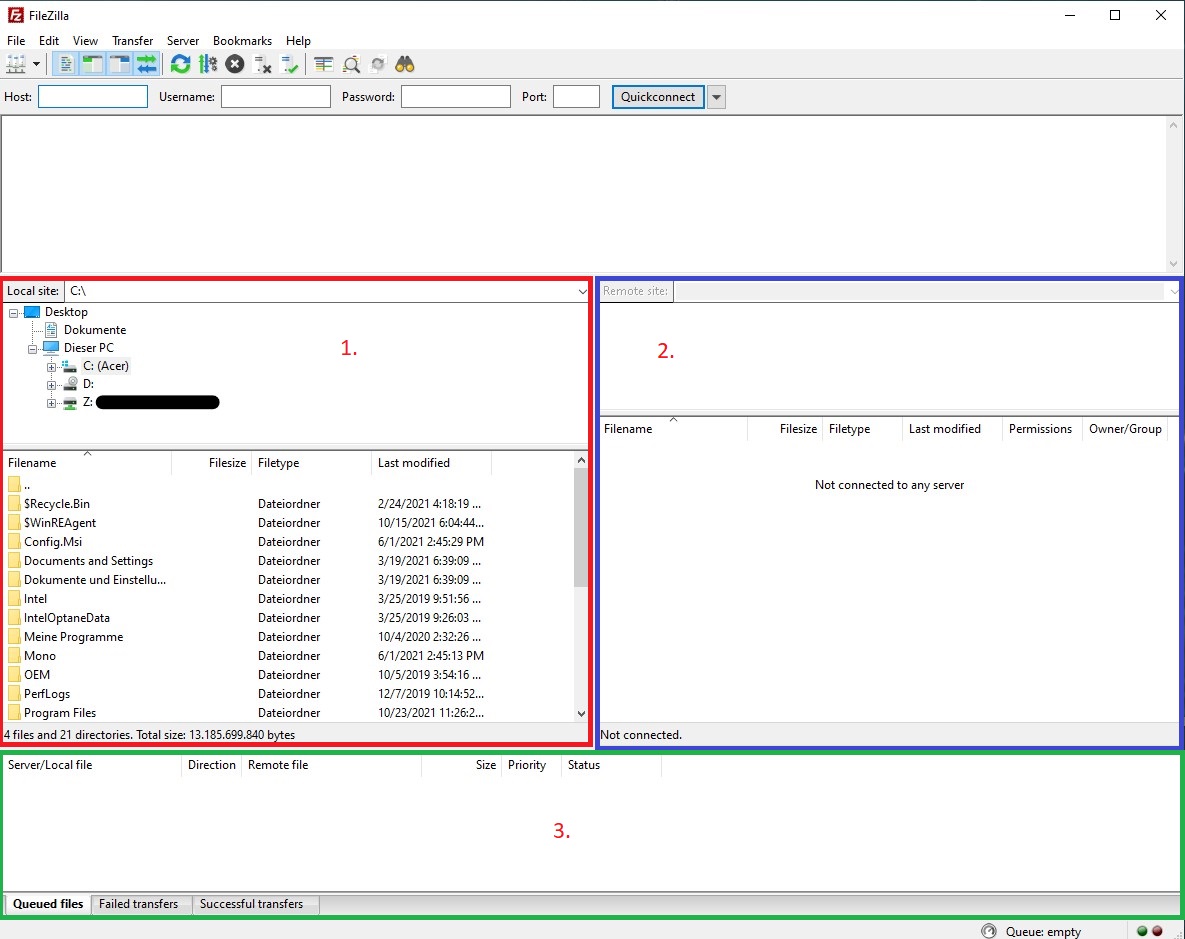
Connect to your Server
To be able to connect the FTP client to your server, you need to go to My-Panel under "Settings" and press "Launch SFTP".
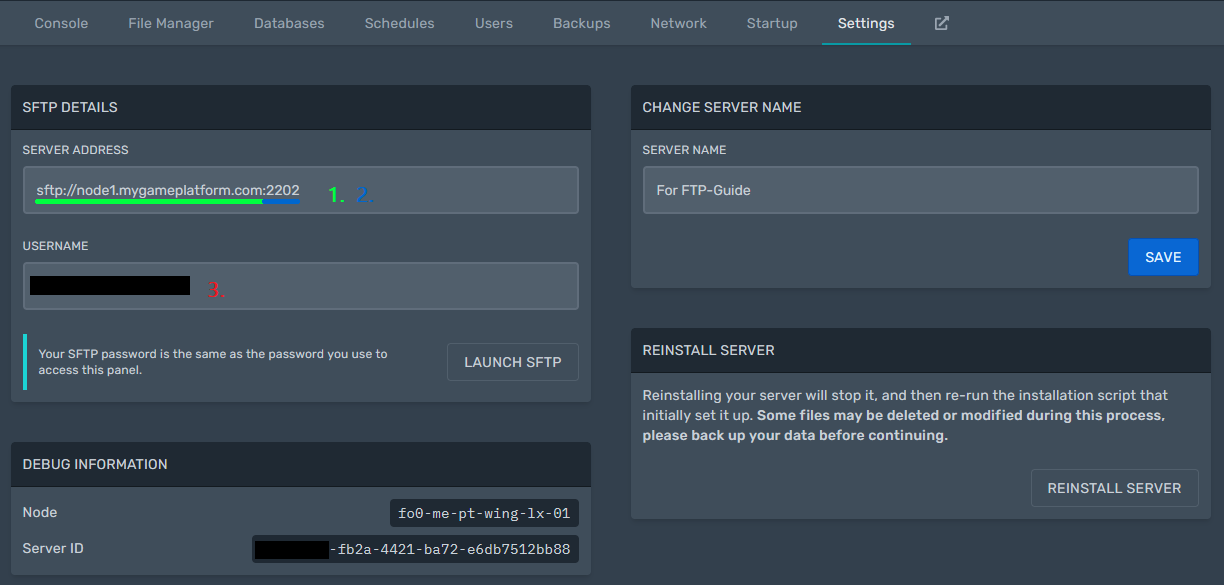
Enter Host, Port & Username in the FTP-Client
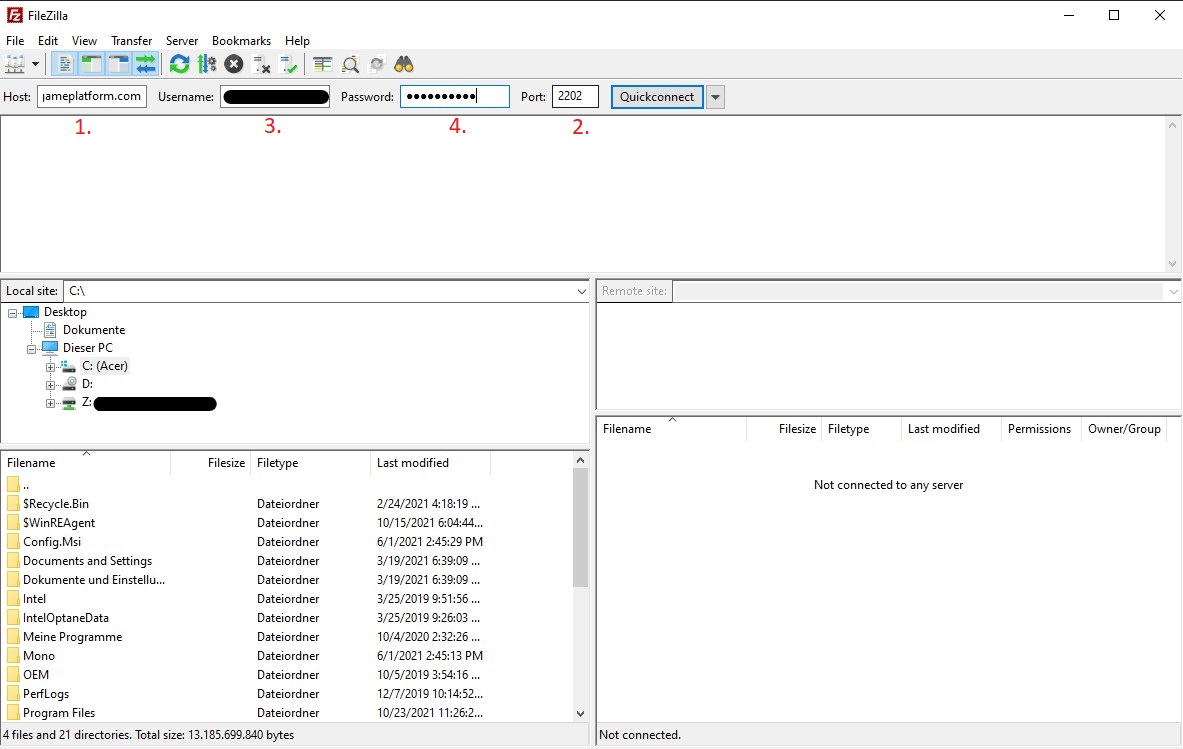
Now press "Quickconnect" and accept the unknown host key.
Manage your Server