My-Server 🛠
Previous Step
Manage your Gameserver via My-Panel
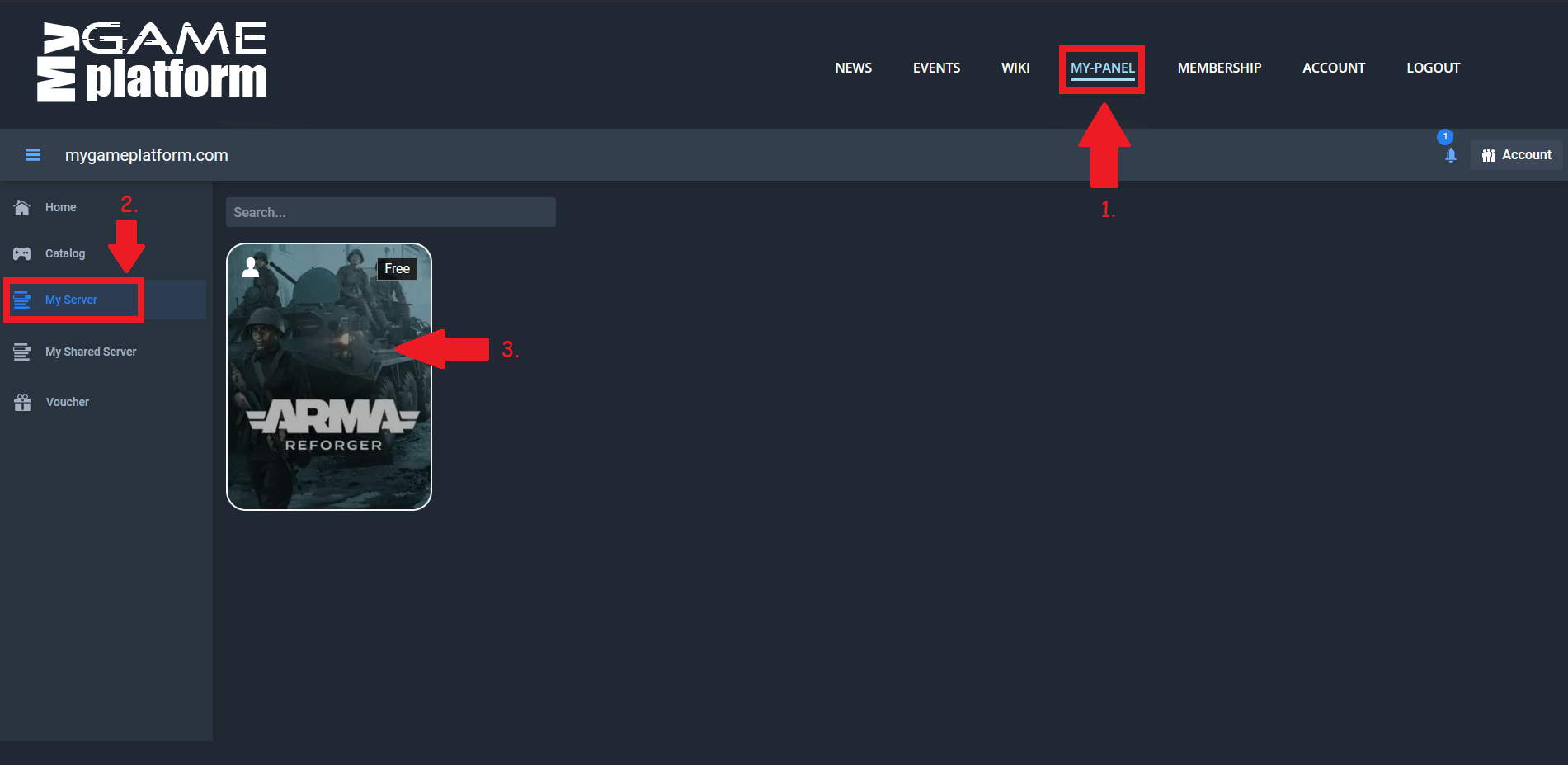
Go to the My-Panel tab.
Go to "My Server".
Click on your server.
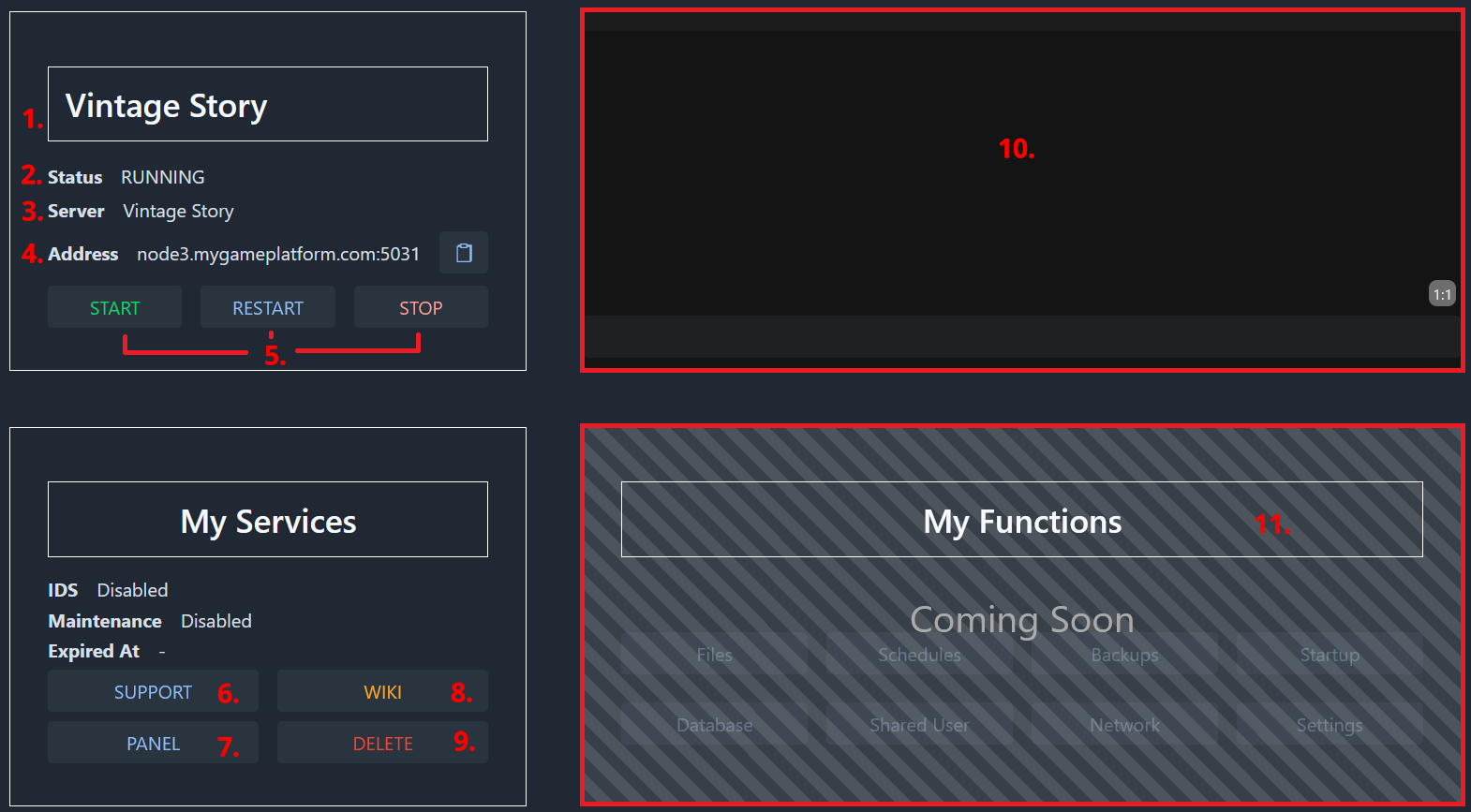
Server Name (click on the server name to rename it)
Server status
What kind of server you have
Your server address
Start the server
Restart the server
Stop the server
Here you come to our Discord server for support
Go to the Server-Panel
Wiki article for this Gameserver (if available)
Delete the server
Server-Console
Upcoming panel functions
Next possible Step
27 September 2026